mission-control desktop app for running ai coding agents in parallel across git worktrees
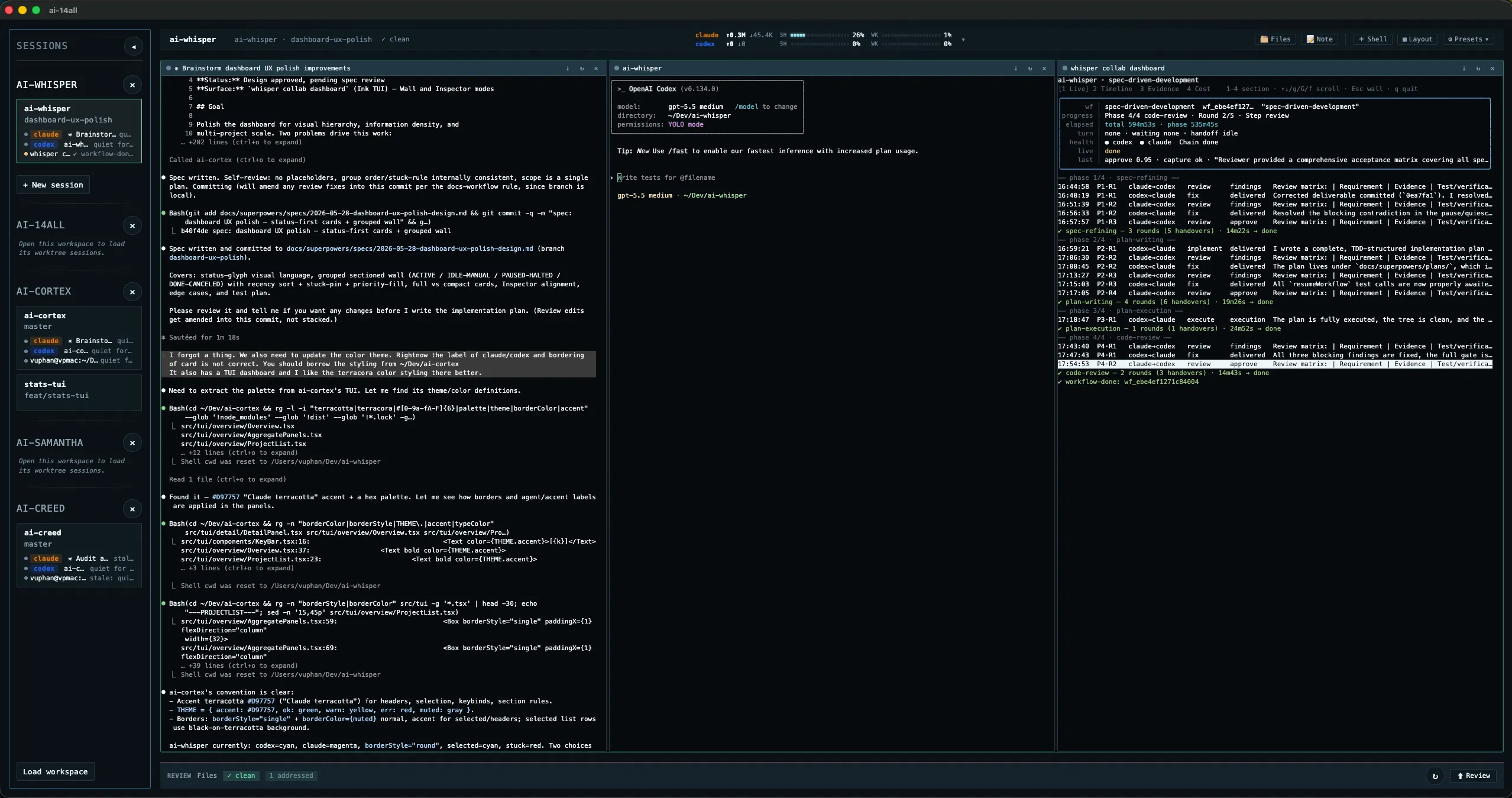
what it does
ai-14all is a mission-control desktop app for running AI coding agents in parallel across Git worktrees. Every session is pinned to its own worktree, branch, and terminal — fan a task out to Claude, Codex, and more at once, each isolated in its own checkout, see which agent needs you at a glance, and review their diffs inline without leaving for a full IDE.
why
Agent-assisted work spreads across parallel worktrees. Juggling multiple shells, editors, and review tabs breaks flow. 14all collapses that into one window — one shell stack per worktree, one click to review, no ceremony.
# features
- session-per-worktree isolation — each agent gets its own branch, worktree, and terminal; parallel agents never collide
- embedded pty terminals per worktree (node-pty + xterm)
- monaco-powered file view, lightweight diff review, and Cmd+T symbol search with go-to-definition
- multi-workspace fast switching with persisted restore
- instant inline code review — highlight any line, leave a comment, agent picks it up and fixes in place
- session attention — sidebar shows which agent needs you, with [claude]/[codex] badges and the task each one was given
instant code review
Reviewing agent output usually means context-switching to GitHub, leaving line comments, waiting for the agent to read them back. 14all collapses that loop into the editor itself.
Highlight any line in the diff view, drop a comment inline, and the agent picks it up on its next turn — no PR round-trip, no copy-paste, no losing the spot in the file. Comments stay anchored to the code as the agent rewrites it.
download
Latest stable release: v0.10.1
- macOS (Apple Silicon) — ai-14all-0.10.1-arm64.dmg — signed + notarized; opens normally.
- Windows (x64) — ai-14all-0.10.1-x64-Setup.exe — unsigned; SmartScreen may warn on first run → More info → Run anyway.
Both builds auto-update in the background on launch, prompting Restart now / Later. Windows on arm64 is a manual zip from the releases page; no Intel macOS or Linux artifacts yet.
requirements
- macOS on Apple Silicon (arm64), or Windows 10/11 on x64
- Node 24+, pnpm, git
- a local git repository with worktrees to drive the session flow
known limits
- macOS (Apple Silicon, signed + notarized) and Windows (x64 installer, unsigned — SmartScreen warns once); Windows on arm64 is a manual zip. No Intel macOS or Linux artifacts yet.
- background auto-update covers macOS and Windows x64 on the stable channel; Windows arm64 and beta builds update manually
# install
git clone git@github.com:ai-creed/ai-14all.git
cd ai-14all
pnpm install
pnpm dev